
FAQ

General


Fares and privileges

How much does it cost to travel by bus?

To find out which fare is the most advantageous to you, personally, see the Fares section.


Where can I buy the STL’s single-trip fares (tickets) or monthly passes?

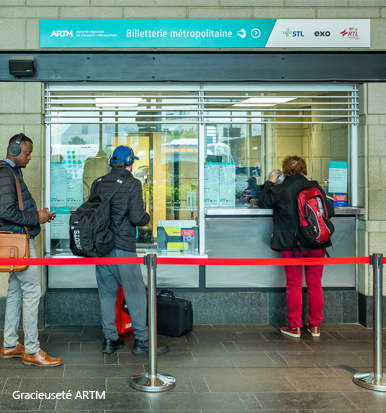
They are available at the approximately 50 points of sale in the Laval area and at the two metropolitan ticket offices. To find the location nearest you, see the Services and fares section.


Information tools

How can I be kept up to date on the schedule changes to the STL’s buses?

You can get this information in the Schedules and routes section, under Schedule changes, to find out the permanent changes to our service, depending on the seasons. Generally speaking, the schedules change in the fall and then again in the summer.

All minor or temporary changes to our service are announced in Notices and detours.


Where can I obtain the STL’s schedules?

You will find these information tools on our website (under Schedules and routes), at a number of points of sale, and also aboard our buses. Just ask the driver.


Children

What should I do when travelling aboard a bus if my child is in a stroller?

If you’re travelling aboard a bus with a child and a stroller, that stroller mustn’t hinder or block the other riders inside that bus, nor must it endanger the safety of the riders or the bus. This means that during rush hours, when there are many riders aboard the bus, you must fold the stroller and put it aside in such a way that the aisle remains clear, and you must hold your child in your arms. In this way, no one will trip on the stroller and your child will be safer. In off-peak hours, if there is room elsewhere, other than in the aisle (for example, between two rows of seats), you may leave the stroller open.


Up to what age can my child travel by bus free of charge?

STL service is free for 5-year-olds and under.

And it’s also free for 11-year-olds and under accompanying an adult paying regular fare, on Saturdays, Sundays, holidays and at any time during the summer, between July 1 and Labour Day.


Animals and Lost & found

What should I do when traveling by bus with an animal?

Little pets must be transported in a pet carrier in order to protect the STL’s transit users from any risk of being scratched or bitten or from any other hazards.


I lost something on a bus. How can I get it back?

All riders’ belongings found on our buses are brought to the STL’s security department and are kept there for a week. Then they are sent to the Montmorency terminus, where they are kept for 3 months.

Phone us to check if your belongings have been found:

STL security department: 450 662-8348, 24 hours a day, 7 days a week

Montmorency terminus: 450 629-7226, 24 hours a day, 7 days a week


Customer service

How can I inform the STL of any comments I want to make?

By phoning the Customer Contact Centre, at 450 688-6520,

or online, under “Comments and complaints“, in the How to reach us section.


What information should I give the Customer Contact Centre to get full directions on a bus trip I am planning?

It is preferable to provide the following information when you phone the Customer Contact Centre about bus routes:

  • the address of your point of departure
  • the address of your destination
  • the day and time of your trip

In this way, you will help us better respond to your needs.


How can I receive the STL’s news by text messaging?

To receive news alerts by text messaging, fill out the registration form that will allow you to select the alerts you want, by checking off the appropriate boxes, and then click on the Submit button to save your selection.


Will I be bombarded with spam?

You will receive only the information that you indicated on the form you filled out to subscribe for the service. You may change or cancel your subscription at any time. Rest assured that the information you give us will be handled strictly confidentially.


How can I change my profile?

If you want to change your preference profile, just go to the online subscription service and make the necessary changes to your profile. The changes you make are automatically saved when you click on the Submit button.


How can I unsubscribe for the service?

You can unsubscribe on this website by accessing your profile, where you just need to uncheck the boxes for the information you no longer want to receive. Then save your changes.


Twitter

What is Twitter

Twitter allows its users to stay in contact with their social network and to subscribe to various sources of information. To use Twitter, you must register there first, whether from a computer or from your mobile device. You can connect to Twitter on its mobile site (http://m.twitter.com/login).

There are various applications that provide access to Twitter on your mobile device, other than via text messaging. Here is a list of popular, downloadable applications:

This list isn’t exhaustive; you may also consult:

Subscribe to our Twitter account and keep up-to-date at all times: Alerts, detours and notices: http://twitter.com/STL_alertes


SMS Alerts

STL Synchro offers customized SMS alerts regarding your favorite bus lines.

What information will you receive?

When a problem arises on one of your favorite lines, you will receive a text message (SMS) on your cellphone indicating the nature of the problem affecting your route. You are informed of the recovery of traffic in the same conditions.


To subscribe to SMS alerts

Whenever you want and after registering to MySTL, select your favorite lines and bus stops as well as the schedules for which you wish to receive the alerts. (Standard rates apply.)


Schedules via SMS

Chronobus number only

Send an SMS to 511STL (511785) and receive, on your cellphone, when the next bus will be passing in real time. (Standard rates apply.)

Send a valid Chronobus number via SMS. You will then receive and SMS with the next six buses passing at that stop, in chronological order.


Chronobus number and bus line number

Send a Chronobus number followed by the bus line number via SMS(both number combinations can be attached or seperated by one or more spaces). You will then receive an SMS with the next six buses passing at that stop in chronological order.


STL Mobile

Is it free?

STL’s mobile version of its website is available free of charge; however, we advise you to check with your service provider to find out the rates of your mobile data service. We also recommend that you opt for a mobile Internet package, if you don’t already have one.


How many kilobytes (KB) per page read?

Although it may vary from one page to another and from one phone to another, the number of KB per page read should range from 6 to 25. You can remove the images from the texts in order to cut down on KB.


Is it free?

STL’s mobile version of its website is available free of charge; however, we advise you to check with your service provider to find out the rates of your mobile data service. We also recommend that you opt for a mobile Internet package, if you don’t already have one.


How many kilobytes (KB) per page read?

Although it may vary from one page to another and from one phone to another, the number of KB per page read should range from 6 to 25. You can remove the images from the texts in order to cut down on KB.


How can I access the mobile version of the STL’s website?

Just enter “m.stl.laval.qc.ca” in the browser of your mobile device. We encourage you to add the mobile version of the STL’s site to your bookmarks so that you can more quickly access it the next time.


How can I access my mobile browser?

We advise you to check the user guide for your mobile device or to contact your mobile service provider. All you need is a cellphone equipped with a browser that can access the mobile Internet network. In case of doubt, check with your service provider (e.g., Bell, Fido, Rogers, Telus, etc.) to find out how to activate this function.


What are the sections of the STL’s mobile site?

You may access the following sections:

  • Schedules and routes
  • Chronobus
  • Alerts and detours
  • Fares
  • Contact us


What is WAP (Mobile Internet)?

Wireless Application Protocol (WAP) is the technology that makes it possible to display pages of contents with photos on a cellphone. A WAP or mobile site has pages that are much less complex than regular web pages, because cellphones have memories and screens that are smaller than computer screens. In case of doubt, check with your service provider to find out whether you have WAP access or how to activate this function.


What material is required to use the services?

To use the STL mobile services, all you need is a cellphone or a mobile terminal with the proper technology offered by a North-American wireless service provider. If you have any doubts, check with your provider (ex.: Bell, Fido, Rogers, Telus, etc.) to find out if you have the services or applications necessary or to find out how to activate these functions.


How to receive the alerts via text message?

To receive the alerts for your favorite lines via text message, complete the registration form in the MySTL section.


Do I have access to text messaging on my cellphone?

Each cellphone is different but all the newer cellphones and most of the ones sold in recent years offer text messaging services. You can usually access it from the sub-menu on your phone.


Are there any registration fees for the service?

All the STL mobile services are free. However, check with your North-American service provider to find out if there are any fees to receive text messages from the STL as well as for navigating the Internet mobile site http://m.stl.laval.qc.ca


What happens if i change my cellphone number?

If you change cellphone numbers, you must enter your new number and configure a new profile; the changes are automatically saved when you click on the submit button.


How can i modify my profile?

If you wish to modify the preferences on your profile for the mobile service, you just have to login to MySTL et make the necessary changes to your profile; the changes are automatically saved when you click on the Update profile button.


How can I unsubscribe to the service?

You can unsubscribe by accessing your profile. Once you have accessed your profile, you just have to uncheck the box that you do not wish to receive anymore, and then click on Update profile.


Connect

My user name:
(My e-mail address)
My password:


I forgot my password